Delivery in 2-3 working days

Toslink – the optical audio output on the TV
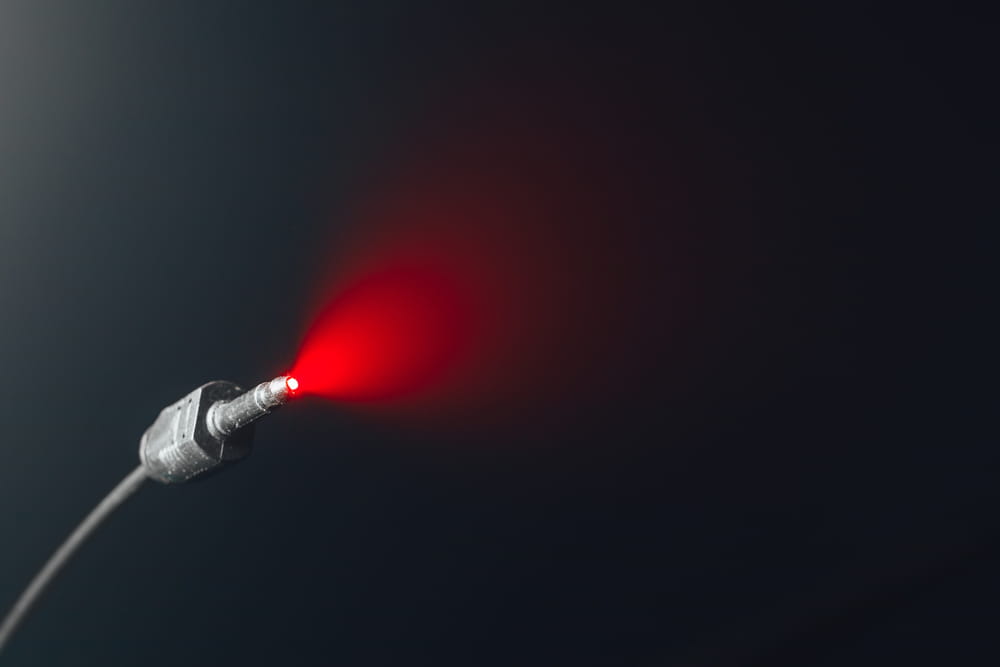
Toslink is the widely used optical interface through which many televisions output digital audio. The audio doesn't leave the device as an electrical current, but as light. A thin optical cable carries it to the soundbar, the amplifier, or the base station of a wireless speaker.
Depending on the TV's settings, Toslink transmits either stereo or compressed multichannel audio. It's also important not to kink the optical cable too much and to keep the connectors clean to ensure reliable signal transmission.
What is Toslink?
Toslink is the optical connection through which digital audio data is transmitted as light pulses from one device to another. This refers to the jack, plug, and optical fiber. What is transmitted through it is a different matter altogether: that is determined by the digital audio format. In everyday use, however, the two terms are often used interchangeably.
Designation and Standardization
Toslink is a brand name that has become established for the optical audio interface in the consumer sector. However, it refers to a standardized connector. In the standards, the square connector is designated as Type F-05—a rectangular connector with a slide lock that is specifically intended for digital audio and video devices. The same standard covers both glass fibers and plastic fibers equally.
That’s why this type of cable is sold under several different names. “Optical digital cable,” “fiber-optic cable,” and “audio fiber-optic cable” generally refer to the same product. So when looking for the right cable, pay less attention to the name and more to the shape of the connector. If the square connector fits into the jack, then the cable will work.
Relationship to S/PDIF
Toslink refers to the optical connection and, by extension, the path the signal takes. In typical living room devices, the digital audio signal carried over this connection complies with the IEC 60958 standard, which is often referred to as S/PDIF. The third part of this series of standards is particularly important for home use, as it explicitly describes its application in the consumer sector.
This same digital audio interface can also be transmitted electrically, in which case it uses a coaxial cable with a RCA plug. Because both methods are based on the same interface, they can be converted into one another using small converters. The device menu lists options such as "Digital Out," "Optical Out," or simply "Digital Audio Output." The term "Toslink" itself rarely appears there, if at all.
The path of sound through the optical fiber
With this type of connection, no electricity flows between the TV and the external TV speakers. Instead, light travels through a thin plastic or glass fiber. This design offers a significant, audible advantage, which also explains why a poor connection manifests itself differently here than it would with a copper cable.
From Electricity to Light and Back Again
An optical transmitter is located at the output of the TV; it converts the digital electrical signal into light pulses. These pulses follow the encoded data stream from the digital audio interface. An optical receiver is located at the other end; it converts the pulses back into an electrical signal. That’s why, if you unplug the cable and look into the open jack, you’ll see a faint red light there.
Inside the fiber, light is repeatedly reflected at the interface between the core and the cladding, thereby remaining within the fiber. Unlike with an analog connection, deteriorating transmission does not typically manifest as increasing noise or a gradual decline in sound quality. If the optical signal is attenuated too much, dropouts are more likely to occur, or the connection may be lost entirely.
Disconnection without a ground connection
This setup ensures that there is no electrically conductive connection between the two devices. As a result, no electrical circuit can be formed via the casings and the signal cable. It is precisely these types of circuits that can cause an audible hum when devices are connected via copper cables to different outlets.
There’s another point to consider. Light traveling through a fiber is not affected by electromagnetic fields in the surrounding environment. This means that a power supply, a dimmer, or a radio transmitter located next to the cable has no impact on the transmission. Anyone who struggles with interference in an analog connection will often find better results with an optical connection.
Audio formats via the optical output
The optical output doesn't simply output sound; it outputs a data stream in a specific format. If this format doesn't match the connected device, there will be no sound or you'll hear static. You can adjust this in the TV's audio menu. An incorrect setting is the most common reason why a newly set up connection doesn't work at first.
PCM and Bitstream in the Audio Menu
Below the audio output settings, there is also an option for the digital output format. The choices typically include PCM and bitstream, sometimes supplemented by an automatic setting. With PCM, the TV usually outputs uncompressed stereo audio via the optical output. If a multichannel source needs to be downmixed to stereo for this, the TV handles the necessary processing. This is exactly what such an interface is designed for: specifically, mono and stereo programs with linear PCM up to 24 bits per sample and sample rates starting at 32 kilohertz.
With bitstream, on the other hand, the TV outputs an encoded audio stream that the connected device must decode itself. Depending on the TV and the source, compressed multichannel formats can be transmitted this way. A separate standard describes exactly this scenario—namely, the embedding of non-linearly encoded bitstreams into the same interface. If the receiving device cannot process the format, no sound will be heard. Switching to PCM usually helps in most cases.
The optical output does not have sufficient bandwidth for high-bitrate or uncompressed multichannel formats. In this case, HDMI with eARC—that is, the extended audio return channel—is the solution.
| Characteristic | Strength | Border |
|---|---|---|
| Interferences | No conductive connection; insensitive to electromagnetic fields | Contamination and attenuation along the light path have an effect on this |
| Availability | Found on many TVs, including older models | Not installed on every device—it's worth taking a look at the back |
| Audio formats | Stereo and compressed multichannel audio | No room for uncompressed multichannel formats |
| Device Control | remains free if all HDMI ports are in use | No control commands—HDMI handles that |
| Cable run | regardless of cable quality, within range | limited length and susceptible to sharp bends |
| Volume | Can be adjusted on the receiver separately from the TV | TV remotes often don't work |
The optical output has clear strengths in terms of noise immunity and reliability. Its limitations lie in audio formats, device control, and cable length.
Conversion to an analog signal
The optical jack outputs a data stream, not an audible sound. Headphones or powered speakers cannot work with this signal. You need a device that converts the data back into a voltage—in other words, a digital-to-analog converter.
These converters are available as small boxes with an optical input and a RCA or jack output. These solutions usually require their own power supply via USB or a power adapter. Wireless headphones, neckband speakers, and portable TV speakers also work this way, since their base station handles the conversion. It is important that the TV outputs a format that the converter can handle.
Connectors, Cables, and Installation
Optical cables look unassuming and are therefore often treated like power cables. However, that is not the case, because inside is a fiber with clear mechanical limitations. Different rules apply to length as well compared to copper. A few factors make the small but significant difference between a stable connection and recurring dropouts.
Standard connector and mini Toslink
The most common design is the rectangular plug with a beveled corner. The jack often has a small flap that you push inward when plugging it in. It keeps dust out of the optical component. There is also a smaller version that looks like a 3.5-millimeter jack plug on the outside and is called a Mini-Toslink. It is found primarily on laptops and on combo jacks that operate in either analog or optical mode, depending on the plug.
Adapters or cables that are square on one end and round on the other serve as a bridge between the two connector types. The square connector is the standard type found on televisions. The jack is usually labeled “Optical” or “Digital Audio Out.”
Plastic Fiber and Glass Fiber
There are two materials that can be used for the light guide inside. Simple cables contain a plastic fiber. This is sufficient for short distances in the living room. Cables with a glass-fiber core attenuate the light less and are therefore suitable for longer distances.
However, the length that works best does not depend solely on the cable. The transmitter, receiver, and fiber type all play a role here, which is why component manufacturers specify their own range specifications for their respective modules. There is therefore no universally applicable maximum length for Toslink. For longer distances, it is therefore advisable to use higher-quality cables when in doubt.
Within a suitable range, however, an expensive cable doesn't sound any better than a cheap one. What a higher-quality cable really offers as added value is extra headroom over long distances and a more durable jacket.
Bending Radius and Installation
If the fiber is sharply bent, the light strikes the interface at an unfavorable angle and escapes from the conductor. This weakens the signal, which manifests as a dropout or a missing sound. In the case of a true optical fiber, the core inside can even break without it being visible from the outside.
That’s why you should route the cable around corners in a wide arc rather than along a sharp edge. Behind the TV, it shouldn’t be pressed against the wall. It also doesn’t belong under a furniture leg or under the edge of a rug. A little slack at the plug won’t hurt either, so that there’s no tension on the socket.
Protective caps and clean end faces
New cables have small plastic protective caps on both ends. They’re easy to overlook and are sometimes mistaken for part of the plug. People often leave them on, which prevents a connection from being established.
If the cable is unplugged and left lying around, the cap must be put back on the connector. The reason for this is the end face of the fiber optic cable. Dust and fingerprints there attenuate the light and reduce the transmission distance. If the surface is dirty, clean it carefully with a clean, lint-free cloth. You should avoid touching the end face with your fingers at all costs.
Troubleshooting the Optical Output
If there is no sound after plugging in the cable, in many cases it’s not the cable itself that’s the problem. Most often, the TV settings aren’t configured correctly, or the TV is still outputting sound through its own speakers. Another common issue involves the volume control, which suddenly can no longer be adjusted using the usual remote control. Both problems have to do with the way this connection works.
No sound despite a connection
The following test sequence is recommended:
- In the audio menu, switch the output from the TV speakers to the optical output. Many TVs do not automatically detect the connected device here.
- Set the digital output format to PCM, because almost any playback device can handle it.
- Unplug both connectors and check to see if a red light is glowing in the sockets and if the contact surfaces are clean.
- Check the entire length of the cable and look for kinks, especially right behind the connectors.
- To rule this out, connect a second cable or a second source, and turn the TV off and then back on.
If none of this works, the jack itself may be mechanically damaged. The small flap sometimes gets jammed and then no longer holds the plug at the correct depth. You can hardly tell this from the outside.
Volume and Time Delay
The optical output carries only audio data. Control commands between devices—such as those exchanged via HDMI CEC—are not transmitted through it. For this reason, many TVs set a fixed level at the optical output. The volume is then adjusted on the connected audio device rather than via the TV’s normal volume control. However, some TVs offer an option in the sound menu to switch the optical output from a fixed level to an adjustable one.
In addition, the time factor can play a role. Every conversion and every processing step in the receiver takes a few milliseconds, which can cause the sound to lag behind the picture. Many TVs have an audio delay setting for this purpose, which can be adjusted in small increments. It’s usually located right next to the output format selection.
Frequently asked questions
Toslink is the standard optical connector for digital audio in consumer electronics. This connection transmits TV audio to a soundbar, an amplifier, or the base station of a wireless speaker. It does not carry video or control signals; HDMI handles those.
The port is square with one beveled corner, giving it a shape that’s distinctly different from HDMI or USB. It’s often covered by a small flap, behind which a faint red light can be seen as soon as the TV is turned on. It is labeled “Digital Audio Out,” “Optical,” or an abbreviation for the optical output. On very slim devices, the port is sometimes located on a separate connection box rather than directly on the housing.
With a stable digital connection, a more expensive cable does not automatically improve the sound quality. However, differences in materials and workmanship can affect how reliably the signal is transmitted over longer distances or when cables are routed closely together. If signal loss becomes too great, dropouts are more likely to occur than a gradual deterioration in sound quality. For the typical two to three meters in a living room, a simple cable is therefore sufficient.
There are couplers available for two optical cables, but they aren't a good idea. Light is lost at each splice, and the range decreases further—even though it's already limited. It makes more sense to use a single cable of the appropriate length, preferably with a fiber-optic core. For truly long distances across a room, active solutions with their own power supply are a better choice.
Toslink transmits digital audio optically and does not support device control. HDMI ARC sends the audio back to the audio device via an HDMI cable and, when used in conjunction with HDMI CEC, can also handle control functions such as volume adjustment. For high-bitrate multichannel formats, HDMI eARC also offers significantly more bandwidth than the optical connection. However, the optical output often remains usable even when all HDMI ports are in use.