Delivery in 2-3 working days

Improve TV audio clarity
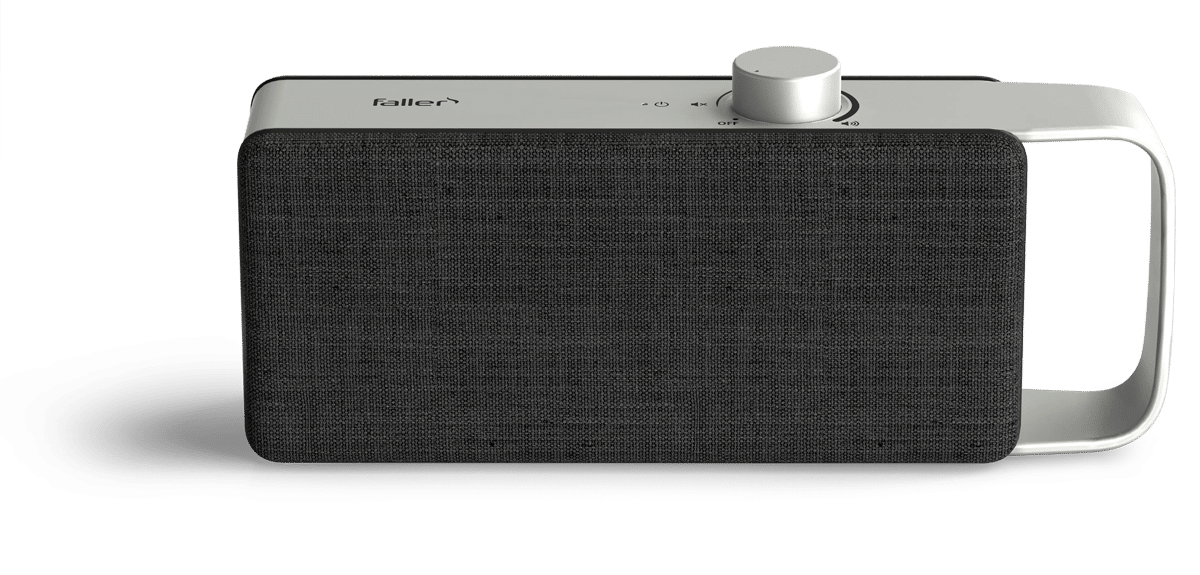
If you want to improve speech intelligibility on TV, adjusting the volume is rarely the only issue. The TV is usually loud enough. However, voices, dialogue, and individual words are often drowned out by music, ambient noise, and sound effects. The balance between speech and background noise is extremely important and determines whether a movie remains easy to follow or feels exhausting to watch.
In the audio menu, the speech mode, equalizer, and the "Clear Speech" audio track are the first steps to take. If you want to further improve speech intelligibility on your TV despite these settings, you’ll benefit from a solution that makes speech sound clearer at your listening position. This way, you don’t have to turn up the TV volume, and dialogue remains easier to understand even in dynamic scenes.
Why speech on TV is often hard to understand
The problem rarely arises or is resolved at the volume control itself. It arises from the balance between the voice and the background noise, as well as from the individual listening situation.
The speech is drowned out by the music and sound effects
Movies and TV shows are increasingly being mixed dynamically. Dialogue is often at the same volume level as music, ambient sounds, and other effects. In complex scenes, voices often get lost in the background. News programs and talk shows are generally easier to understand because speech is clearly the main focus.
One's own hearing as a factor
For some people, understanding speech against a background of noise is a challenge. This usually has a variety of different causes. Over the years, for example, high-frequency sounds become harder to hear, especially consonants like S, F, or T. Yet it is precisely these sounds that contribute the most to word recognition. When they are missing, speech does not necessarily sound quieter, but softer and less distinct. As soon as another factor comes into play, the effort required to listen increases noticeably.
Why turning up the volume doesn't automatically help
The instinct when dialogue is hard to make out is almost always the same: turn up the volume. The problem with that is that it doesn't actually change the situation.
Louder makes everything louder
Turning up the TV volume not only amplifies the voices but also boosts the music, sound effects, and background noise to the same degree. As a result, speech remains just as difficult to understand. The overall volume often becomes unpleasant for others in the room, without the dialogue actually becoming any clearer.
Constantly adjusting the settings with the remote control
The volume goes up during dialogue scenes and down again during action scenes. Anyone who does this every night knows the problem. This approach won’t permanently improve speech intelligibility. What’s needed is a method that brings speech to the forefront rather than simply turning everything up at once.
Which TV settings make speech easier to understand
Before considering an external solution, it’s worth checking the TV’s audio menu. Three settings can help right away.
Enable voice mode or dialogue mode
Many modern TVs offer a sound profile designed to emphasize speech. Depending on the manufacturer, this may be called "Speech Mode," "Dialogue," "Clear Voice," or "Voice Boost." These profiles emphasize the frequency range of the human voice while slightly reducing bass and treble. For news programs and dialogue-heavy series, this is often the most effective single adjustment you can make.
Equalizer for midrange and bass
If you want more control, many TV menus include a manual equalizer. A moderate boost to the midrange makes voices sound clearer. A slight cut in the bass helps when music drowns out the voices. Be careful with the treble. It should only be boosted slightly, because too much can make the sound too harsh.
Check the audio format (stereo or PCM)
If multi-channel audio such as Dolby Digital is being output through the TV speakers, it may help in some cases to try selecting the "Stereo" or "PCM" setting under "Audio Output" in the sound menu.
Clear language and subtitles as a supplement
In addition to the TV settings, there are two tools provided by the broadcaster or platform. Both of these tools supplement, but do not replace, clear spoken language.
Clear speech as a language-optimized audio track
Under "Clear Audio," ARD and other broadcasters provide an additional audio track for many programs. Voices are louder on this track, and background noise is reduced. The audio track can usually be activated in the audio menu under "Audio Options" or in the audio track selection. It is not available everywhere; it is often missing, especially in live broadcasts and older productions.
Subtitles as a visual aid
Subtitles display spoken dialogue as text. While they do not directly improve speech intelligibility, they can still help viewers grasp the content. The downside is that viewers tend to focus more on the text than on the visuals, facial expressions, and plot. Subtitles are valuable for accessible television, but for people with normal hearing, they are only a stopgap solution.
Why TV settings are often not enough
Voice Mode, Equalizer, and Clear Speech modify the audio signal but leave the audio source connected to the TV. This is precisely where the typical limitations lie.
Limitations of Signal Processing
A speech mode emphasizes vocal frequencies, but cannot completely isolate speech from complex background noise. The equalizer boosts the midrange, but also boosts all other frequencies in that range. Clear speech is not available in every program, and subtitles do nothing to improve the audio quality.
Boundaries created by space and distance
When people are seated far apart, in rooms with echoes, or when there are varying listening needs within the household, the TV settings are often insufficient. Even if the signal were processed perfectly, the sound would still have to travel from the TV across the room. At this point, it’s no longer about signal processing, but about where the sound reaches the listener.
Improving TV Speech Intelligibility Through Proximity to the Speaker
Speech intelligibility depends not only on the signal, but also on where the sound is directed. Bringing the sound closer to the listener’s seat fundamentally changes the listening experience.
Direct sound vs. reflected sound
The farther sound has to travel through the room, the more dominant reflections, reverberation, and background noise become. Voices become softer and less distinct because the brain has to reconstruct the original information from multiple sound waves arriving at different times. When sound is reproduced directly at the seating position, the listener benefits from a significantly higher proportion of direct sound. Dialogue sounds clearer without having to increase the overall volume in the room.
When Good Hearing Makes All the Difference
Proximity to the TV is particularly important when sitting farther away from the screen, in rooms with echoes and hard surfaces, and in households where one person has more difficulty understanding speech than others. If dialogue remains difficult to follow despite adjusting all settings, proximity to the TV can be a decisive factor in addition to signal processing.
TV audio enhancer for clear dialogue
The OSKAR TV sound amplifier OSKAR your TV settings without replacing them, and brings the optimized sound closer to where you're sitting.
How OSKAR
OSKAR the TV audio, working in two directions simultaneously. Voices and dialogue are processed for better intelligibility, while distracting background noise is reduced. At the same time, OSKAR wirelessly directs OSKAR sound closer to the listening position, so that the ears receive more direct sound and fewer room reflections. As a result, the TV often doesn’t need to be turned up as loud for speech to remain clear. The system is controlled directly on the device, without the need to navigate complex TV menus.
Who should consider a TV voice amplifier
This solution is ideal in situations where dialogue remains unclear despite adjustments to the audio mode and equalizer, and where the TV volume is frequently turned up or speech isn’t heard clearly from the seating area. OSKAR also OSKAR provides relief in households with varying hearing needs, as it allows one person to hear the sound clearly without having to turn up the volume for the entire room.
Which solution for which problem
Overview of Issues and Measures
| Problem | First step | If there is not enough |
|---|---|---|
| The dialogue gets lost amid the music and sound effects | Enable voice mode and equalizer | TV audio amplifier at the listening position |
| The TV keeps getting turned up louder | Clear speech and volume balancing | OSKAR in-seat audio |
| Plain language version not available | Combine speech mode and equalizer | Hearing aid with custom speech optimization |
| The audio at the seat sounds muffled | Check the seating position and furnishings | Play audio directly at the listening position |
| Other members of the household feel disturbed | Turn down the volume, turn on voice mode | OSKAR personalized hearing |
Adjusting your TV settings is a good first step and is often free, but it’s usually not enough. If voices still sound unclear or the TV is consistently too loud, it’s worth considering a hearing solution that features speech optimization and sound delivered directly to your seat.
Frequently asked questions
The most effective steps are selecting "Speech Mode" or "Dialogue Mode" in the TV menu, slightly boosting the midrange on the equalizer, and using speech-optimized audio tracks such as "Clear Speech." If you still have trouble understanding dialogue despite these settings, you'll benefit from a solution that brings the optimized sound closer to your seat. A TV speech amplifier is designed for this purpose.
Movies and TV shows are increasingly being mixed dynamically. Dialogue is often so close in volume to the music, sound effects, and ambient sounds that it can get lost in busy scenes. This is compounded by small TV speakers, which usually face downward or backward, and individual differences in how people hear sound. Making out speech amid background noise is a challenging listening task.
Only to a limited extent. Turning up the volume on the TV not only amplifies the voices but also the music, sound effects, and background noise to the same degree. The balance between speech and background noise remains the same. Speech intelligibility isn’t achieved by increasing the volume but by improving the balance between the voice and the surrounding environment.
The most important setting is the voice mode, which may also be called "Dialogue," "Clear Voice," or "Voice Boost" depending on the manufacturer. In addition, it helps to use the equalizer to moderately boost the midrange and slightly reduce the bass. For surround sound content, it’s also worth switching the audio format to stereo or PCM, as this prevents voices from losing clarity due to a downmix.
A TV voice amplifier comes in handy when voice mode, the equalizer, and Clear Speech aren’t enough, or when the sound source is too far from where you’re sitting. OSKAR Faller analyzes the TV audio, optimizes it for clearer dialogue, and wirelessly brings the sound closer to the listening position. As a result, the TV often doesn’t need to be turned up louder than usual, and dialogue remains easier to understand even in dynamic scenes.