
Improving TV Speech Intelligibility
Those who wish to improve TV speech intelligibility are rarely struggling with volume settings alone. The television is usually loud enough. However, voices, dialogue, and individual words often get lost amidst music, noises, and effects. The ratio between speech and background is extremely important and decisive for whether a film remains relaxingly intelligible or becomes strenuous.
In the audio menu, voice mode, equalizer, and the “Clear Speech” audio track help as a first step. Those who wish to further improve TV speech intelligibility despite these settings will benefit from a solution that outputs speech more clearly at the listening position. This way, the television does not need to be turned up louder, and dialogue remains more intelligible even in dynamic scenes.
Why Speech on Television Is Often Difficult to Understand
The problem rarely arises or resolves itself at the volume control alone. It stems from the ratio of voice to background and the individual listening situation.
Speech Gets Lost in Music and Effects
Movies and series are increasingly mixed dynamically. Dialogue is often at the same level as music, atmosphere, and other effects. In complex scenes, voices often disappear into the background. News and talk shows are usually more intelligible because speech is clearly in the foreground there.
One’s Own Hearing as a Factor
Understanding the voice or spoken word against background noise is a challenge for some. This usually has multifaceted and varied causes. Over the years, for example, high-frequency components become harder to perceive, especially consonants like S, F, or T. Yet it is precisely these sounds that contribute most to word recognition. If they are missing, speech does not necessarily sound quieter, but softer and more indistinct. As soon as another effect is added, the effort required to listen increases noticeably.
Why More Volume Does Not Automatically Help
The reflex for indistinct dialogue is almost always the same: turn up the volume. The problem is that the actual ratio does not change.
Louder Makes Everything Louder
Turning up the television amplifies not only the voices but also the music, effects, and background noise to the same extent. Speech remains just as difficult to understand in relative terms. The overall volume often becomes unpleasant for others in the room without the dialogue actually becoming clearer.
Constant Readjustment with the Remote Control
The volume is turned up during a dialogue scene and down again during an action scene. Anyone who does this every evening knows the problem. Speech intelligibility cannot be permanently improved this way. A method is needed that highlights speech from the background instead of raising everything simultaneously.
Which TV Settings Make Speech More Intelligible
Before considering an external solution, it is worth looking into the television’s audio menu. Three settings can provide direct help.
Activate Voice Mode or Dialogue Mode
Many modern televisions offer a sound profile with a focus on speech. Depending on the manufacturer, it is called Voice Mode, Dialogue, Clear Voice, or Amplify Voice. These profiles emphasize the frequency range of the human voice and slightly reduce bass and treble. For news and dialogue-heavy series, it is often the most effective single measure.
Equalizer for Mids and Bass
Those who want more control will find a manual equalizer in many TV menus. A moderate boost of the mids makes voices more present. A slight reduction of the bass helps if music is masking the voices. Caution is advised with the treble; it should only be raised carefully, as too much can make the soundscape seem too sharp.
Check Audio Format for Stereo or PCM
If multi-channel audio such as Dolby Digital is output through TV speakers, it can help in some cases to test the Stereo or PCM setting in the sound menu under Audio Output.
Clear Speech and Subtitles as a Supplement
In addition to TV settings, there are two aids provided on the broadcaster or platform side. Both supplement but do not replace acoustically intelligible speech.
Clear Speech as a Speech-Optimized Audio Track
Under “Clear Speech,” ARD and other broadcasters provide an additional audio track for many programs. Voices are louder there, and background noises are reduced. The audio track can usually be activated in the audio menu under Language Options or in the audio track selection. It is not available everywhere, particularly for live broadcasts and older productions.
Subtitles as a Visual Supplement
Subtitles show the spoken word as text. They do not directly improve acoustic speech intelligibility but can help to reliably capture content nonetheless. The disadvantage: attention is focused more on the text than on the image, facial expressions, and action. Subtitles are valuable for accessible television, but as a permanent solution for normal hearing, they are only a makeshift measure.
Why TV Settings Are Often Insufficient
Voice mode, equalizer, and Clear Speech change the audio signal but leave the sound source at the television. This is precisely where the typical limits lie.
Limits of Signal Processing
A voice mode emphasizes voice frequencies but cannot completely cut speech out of dense mixes. The equalizer boosts mids but also boosts all other components in that range. Clear Speech is not available for every program, and subtitles do not improve the sound at all.
Limits Due to Room and Distance
With greater seating distance, reverberant rooms, or varying hearing needs in the household, TV settings are often insufficient. Even if the signal were optimally processed, the sound would still have to travel from the television through the room. At this point, it is no longer about signal processing, but about where the sound arrives when listening.
Improving TV Speech Intelligibility Through Listening Proximity
Speech intelligibility depends not only on the signal but also on where the sound arrives. Bringing the sound closer to the seating area fundamentally changes the listening experience.
Direct Sound vs. Reflected Sound
The further the sound has to travel through the room, the more reflections, reverberation, and background noise dominate. Voices become softer and blurrier because the brain must reconstruct the original information from several time-delayed sound waves. If the sound is reproduced directly at the seating area, the listener benefits from a significantly higher proportion of direct sound. Dialogue appears clearer without the overall volume in the room having to be raised.
When Listening Proximity Makes the Difference
Listening proximity is particularly relevant at a greater distance from the television, in reverberant rooms with hard surfaces, and in households where one person understands speech less clearly than others. If dialogue remains strenuous despite all settings, listening proximity can be decisive in addition to signal processing.
TV Speech Amplifiers for Clear Dialogue
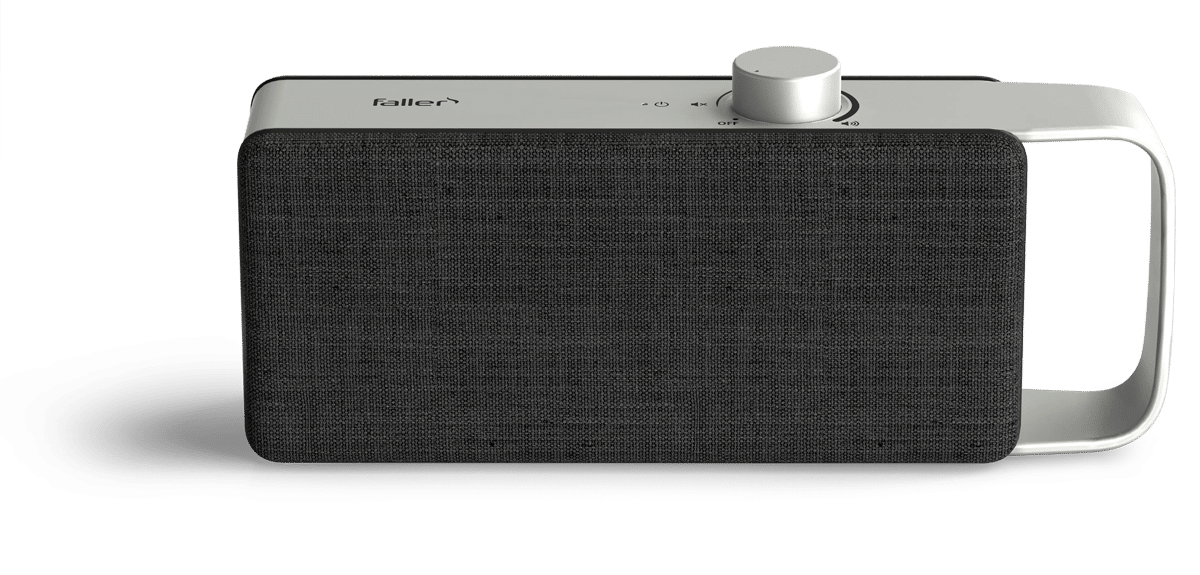
The OSKAR TV speech amplifier supplements TV settings without replacing them and also brings the optimized sound close to the listening position.
How OSKAR Works
OSKAR analyzes the television sound and works in two directions simultaneously. Voices and dialogue are processed for better intelligibility, while disruptive background noises are reduced. At the same time, OSKAR brings the sound wirelessly closer to the listening position, so the listener receives more direct sound and fewer room reflections. As a result, the television often does not need to be set as loud for speech to remain intelligible. Operation takes place directly on the device, without the need to adjust complex TV menus.
For Whom a TV Speech Amplifier Is Useful
The solution is useful wherever dialogue remains indistinct despite voice mode and equalizer modifications, and the television is frequently turned up louder or speech does not arrive clearly at the seating area. OSKAR is also often a relief in households with different hearing needs, because one person receives the sound clearly without the entire room needing to be blasted at a higher volume.
Which Measure for Which Problem
Overview of Problems and Measures
| Problem | First Measure | If Insufficient |
|---|---|---|
| Dialogue gets lost in music and effects | Activate voice mode and equalizer | TV speech amplifier at the listening position |
| Television is constantly turned up louder | Clear Speech and volume leveling | OSKAR for speech directly at the seat |
| Clear Speech not available | Combine voice mode and equalizer | Hearing solution with its own speech optimization |
| Speech at the seat appears blurry | Check seating position and furniture | Reproduce sound directly at the listening position |
| Others in the household feel disturbed | Reduce volume, turn on voice mode | OSKAR for individual listening proximity |
TV settings are a useful first step and are often free, but frequently insufficient. If voices still remain unclear or the television is permanently running too loud, it is worth taking the step toward a hearing solution with speech optimization and sound directly at the seating area.
Frequently Asked Questions
The most effective steps are Voice Mode or Dialogue Mode in the TV menu, a moderate boost of the mids in the equalizer, and the use of speech-optimized audio tracks like Clear Speech. Those who still find dialogue difficult to understand despite these settings will benefit from a solution that brings the optimized sound closer to the seating area. A TV speech amplifier is designed for this purpose.
Movies and series are increasingly mixed dynamically. Dialogue is sonically close to music, effects, and atmosphere and can get lost in dense scenes. Added to this are small TV speakers that usually fire downward or backward, and individual hearing perception. Understanding speech amidst background noise is a demanding auditory task.
Only to a limited extent. Turning up the television amplifies not only the voices but also the music, effects, and background noise to the same degree. The ratio between speech and background remains the same. Speech intelligibility is not created by higher levels, but by a better ratio between the voice and the surroundings.
The most important setting is Voice Mode, also called Dialogue, Clear Voice, or Amplify Voice depending on the manufacturer. Additionally, a moderate boost of the mids and a slight reduction of the bass in the equalizer helps. For surround content, it is also worth switching the audio format to Stereo or PCM, as voices then do not lose presence through a downmix.
A TV speech amplifier helps where Voice Mode, Equalizer, and Clear Speech are insufficient or where the sound source is too far from the seating area. OSKAR by Faller Audio analyzes the television sound, optimizes it for more intelligible dialogue, and brings the sound wirelessly closer to the listening position. As a result, the television often does not need to be set at an above-average volume, and dialogue can remain more intelligible even in dynamic scenes.